
TurboPING - Download
You'll be able to download in few seconds.
Publisher Description
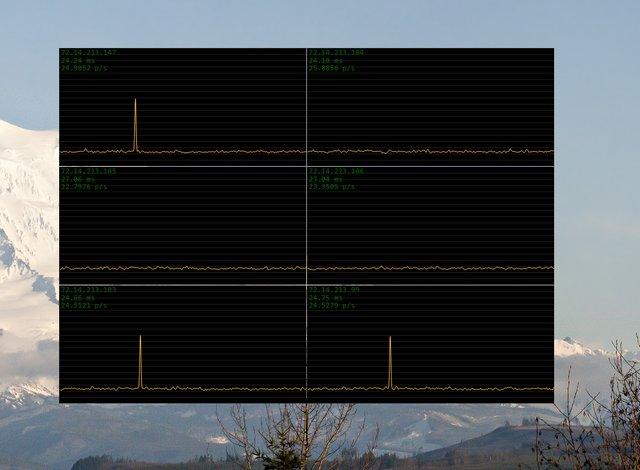
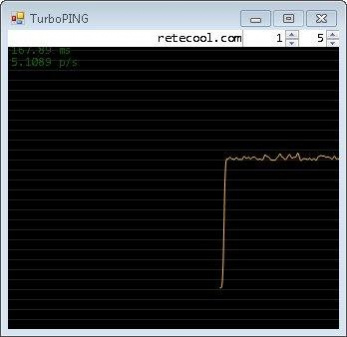
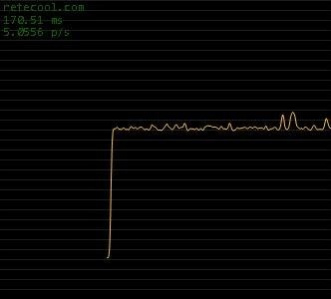
TurboPING is a utility I wrote to monitor, in real-time, a number of network connections. The minimum delay between pings can be set to one millisecond, in practice this means that you can continuously ping at a rate of about 60 pings per second.
- Enter the IP address or hostname to ping
- Set the delay in milliseconds between pings (1 ms - 10,000 ms)
- Set the number of pings displayed per pixel (in the screenshots you are looking at a resolution of 5 and 20 pings per pixel)
- Due to the high noise when pinging that fast (spikes are common), I applied a low-pass Gaussian filtering before drawing the graph
- Timeouts are visible as spikes
- The address, average ping time (calculated within viewable window) and number of pings per second (overall) are visible at all times
- The window is made to be always on top, at all times
- Clicking the window hides (and shows) the window frame, title bar and settings
- In minimal display mode, use the arrow keys to move the window 1 pixel, hold shift to move 10 pixels
About TurboPING
This program is available in English. It was last updated on 29 September, 2026. TurboPING is compatible with the following operating systems: Linux, Mac, Windows.
The company that develops TurboPING is staplerfahrer. The latest version released by its developer is 1.0 .
The download we have available for TurboPING has a file size of 44.8 KB. Just click the green Download button above to start the downloading process. The program is listed on our website since 2011-03-02 and was downloaded 0 times. We have already checked if the download link is safe, however for your own protection we recommend that you scan the downloaded software with your antivirus. Your antivirus may detect the TurboPING as malware if the download link is broken.
How to install TurboPING on your Windows device:
- Click on the Download button on our website. This will start the download from the website of the developer.
- Once the TurboPING is downloaded click on it to start the setup process (assuming you are on a desktop computer).
- When the installation is finished you should be able to see and run the program.
Program Details
System requirements
Download information
Pricing
Version History
version
posted on 2011-03-02
version Executable%20%28debug%20build%29
posted on 2011-03-02
Several fixes and updates
Disclaimer
External Download
We do not host TurboPING on our servers. We did not scan it for viruses, adware, spyware or other type of malware. This app is hosted by the software publisher and passed their terms and conditions to be listed there. We recommend caution when installing it.
The external download link for TurboPING is provided to you by apps112.com without any warranties, representations or guarantees of any kind, so access it at your own risk.
If you have questions regarding this particular app contact the publisher directly. For questions about the functionalities of apps112.com contact us.
